UUIDs are used everywhere in modern software development. They identify database records, users, files, transactions, API resources, events, and objects without requiring a central system to assign each identifier.
But not every UUID works the same way.
There are several UUID versions, and each version has a different generation method and purpose.
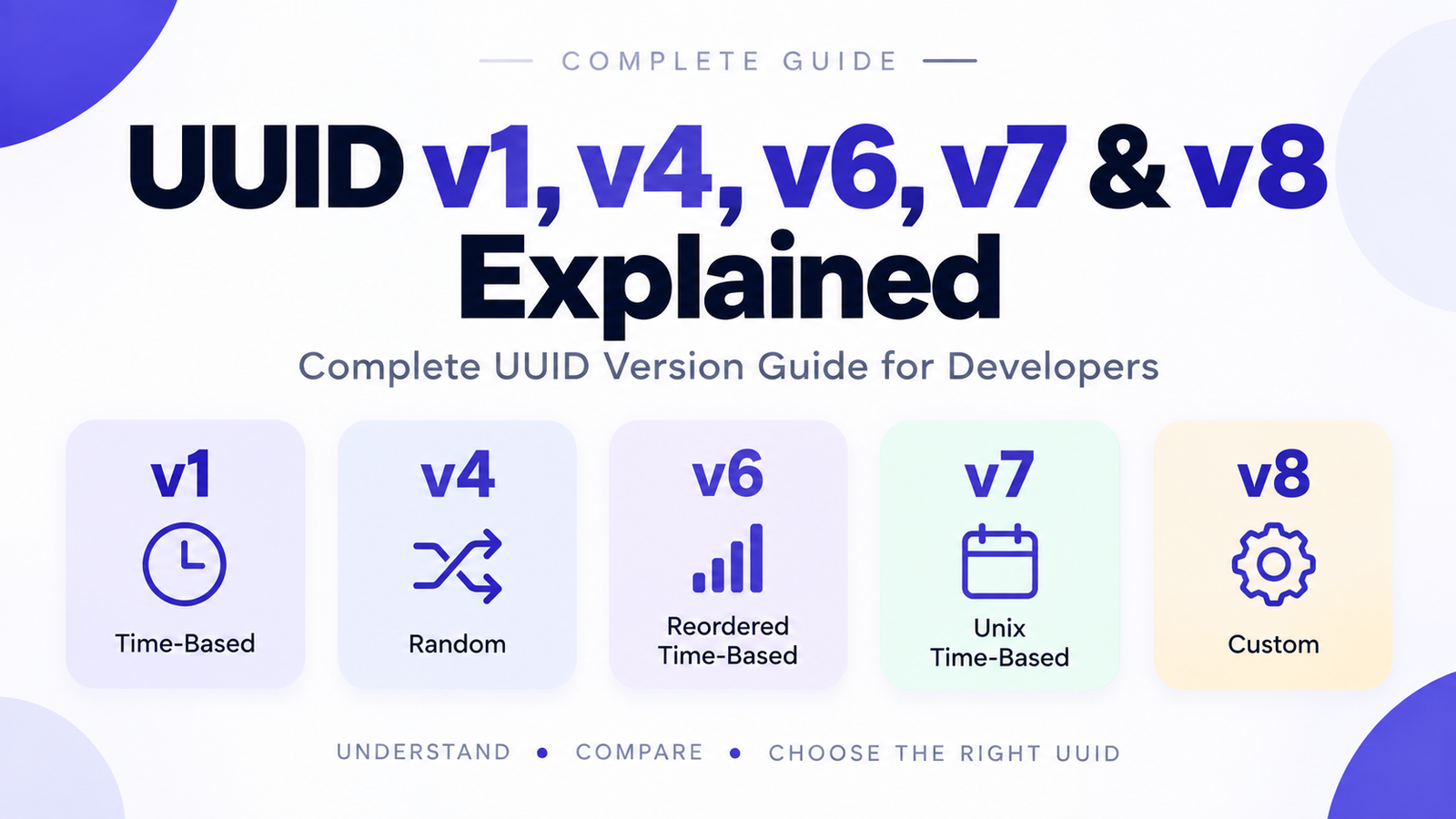
The most important versions for modern developers are:
-
UUID v1 — Time-based
-
UUID v4 — Random
-
UUID v6 — Reordered time-based
-
UUID v7 — Unix timestamp-based and time-ordered
-
UUID v8 — Custom or application-specific
The current IETF specification is RFC 9562, published in May 2024. It defines UUIDs as 128-bit identifiers and supersedes the older RFC 4122.
In this guide, we'll explain how each version works, compare their advantages and disadvantages, and show which UUID version you should choose for different applications.
Quick UUID Version Comparison
Before going into the details, here's a quick comparison:
| UUID Version | Type | Time-Based | Random Data | Sortable | Best For |
|---|---|---|---|---|---|
| v1 | Time-based | Yes | Some | Limited | Legacy systems |
| v4 | Random | No | Yes | No | General random IDs |
| v6 | Reordered time-based | Yes | Some | Yes | v1-compatible systems |
| v7 | Unix time-based | Yes | Yes | Yes | Modern applications |
| v8 | Custom | Optional | Optional | Depends | Custom implementations |
For most new applications that need time-ordered UUIDs, UUID v7 is the version to consider first. RFC 9562 specifically recommends UUID v7 instead of v1 or v6 when possible.
What Is a UUID?
UUID stands for Universally Unique Identifier.
A UUID is a 128-bit identifier that can be generated without a central registration system.
A typical UUID looks like this:
550e8400-e29b-41d4-a716-446655440000
The standard textual representation contains:
8-4-4-4-12
hexadecimal characters separated by hyphens.
Every UUID contains version and variant information that tells software how the remaining bits should be interpreted. RFC 9562 defines the UUID format as 16 octets, or 128 bits.
UUID Versions at a Glance
The current UUID specification defines these versions:
UUID v1 → Gregorian time-based
UUID v2 → DCE Security
UUID v3 → Name-based + MD5
UUID v4 → Random
UUID v5 → Name-based + SHA-1
UUID v6 → Reordered Gregorian time-based
UUID v7 → Unix time-based
UUID v8 → Custom
This article focuses on v1, v4, v6, v7, and v8, because these are particularly relevant when choosing an identifier-generation strategy for modern applications.
UUID Version 1 — Time-Based UUID
UUID v1 is a time-based UUID.
It uses a 60-bit timestamp based on 100-nanosecond intervals since the Gregorian calendar reference date of 15 October 1582.
It also includes a clock sequence and node field. The node field can use an IEEE MAC address or a randomly derived value, depending on the implementation.
A simplified representation is:
Timestamp + Clock Sequence + Node
Example
6ba7b810-9dad-11d1-80b4-00c04fd430c8
The 1 in the appropriate version position identifies it as UUID v1.
How UUID v1 Works
UUID v1 combines several pieces of information:
60-bit timestamp
+
14-bit clock sequence
+
48-bit node
The clock sequence helps handle situations such as the system clock moving backward.
The node field historically provided a way to identify the generating machine, although implementations can use a randomly derived node value instead.
Advantages of UUID v1
UUID v1 can be useful when:
-
You need a time-based identifier.
-
You are working with an existing UUID v1 system.
-
Compatibility with older UUID implementations matters.
-
You need the historical UUID v1 structure.
Disadvantages of UUID v1
UUID v1 is generally less attractive for new systems because:
-
Its layout is not naturally ordered as a timestamp.
-
Its traditional node information can reveal information about the generating system.
-
It is more complicated than UUID v4 for simple random identifiers.
-
UUID v7 provides a more modern time-ordered design.
RFC 9562 specifically says systems that do not involve legacy UUID v1 should use UUID v7 instead of UUID v6, and recommends UUID v7 over UUID v1 and v6 where possible.
When should you use UUID v1?
Mainly for compatibility with existing systems.
For a new application, consider UUID v7 when you need time ordering.
Try it: /uuid-v1-generator
UUID Version 4 — Random UUID
UUID v4 is the classic randomly generated UUID.
Instead of encoding a timestamp or machine identifier, UUID v4 uses random or pseudorandom data for most of its bits.
RFC 9562 defines UUID v4 as a randomly or pseudorandomly generated UUID. It provides 122 bits of random data after accounting for the required version and variant bits.
Example
550e8400-e29b-41d4-a716-446655440000
The 4 in the version position identifies it as UUID v4.
How UUID v4 Works
Conceptually:
Random Data
     ↓
Set Version = 4
     ↓
Set Variant
     ↓
UUID v4
The UUID layout contains:
48 random bits
+
4 version bits
+
12 random bits
+
2 variant bits
+
62 random bits
That leaves 122 random bits.
Advantages of UUID v4
UUID v4 is excellent when you need:
-
A simple random identifier
-
No timestamp embedded in the identifier
-
No machine information
-
Easy generation
-
Broad library support
It is one of the simplest UUID formats to understand.
Disadvantages of UUID v4
The main drawback is that UUID v4 is not time ordered.
For example:
UUID A → f92...
UUID B → 12a...
UUID C → 7c1...
The values don't naturally follow their creation order.
This can matter for databases and indexes. RFC 9562 notes that non-time-ordered UUIDs such as v4 can have poor database-index locality because new values may be inserted at random positions.
When should you use UUID v4?
Use UUID v4 when:
-
You simply need a random identifier.
-
Ordering doesn't matter.
-
You don't need timestamp information.
-
You want a straightforward UUID implementation.
Try it: /uuid-v4-generator
UUID Version 6 — Reordered Time-Based UUID
UUID v6 was designed as a field-compatible evolution of UUID v1.
The major difference is the arrangement of the timestamp.
UUID v1 splits its timestamp across several fields. UUID v6 reorders those timestamp bits so that the most significant timestamp bits appear first.
This makes UUID v6 much more suitable for chronological sorting and database locality.
Why Was UUID v6 Created?
Consider a sequence of time-based UUIDs.
A database wants identifiers that roughly follow:
Older
  ↓
Newer
UUID v6 rearranges the UUID v1 timestamp so that its byte ordering better reflects chronological order.
Simplified:
UUID v1

timestamp
 ├── low
 ├── mid
 └── high


UUID v6

timestamp
 └── high → low
RFC 9562 describes UUID v6 as a reordered UUID v1 format designed for improved database locality.
UUID v6 Advantages
UUID v6 can provide:
-
Time-based identifiers
-
Better chronological ordering
-
Improved database locality compared with v1
-
Compatibility with UUID v1-style systems
UUID v6 Disadvantages
UUID v6 is primarily useful when working with existing UUID v1 concepts.
For new applications without legacy v1 requirements, RFC 9562 recommends using UUID v7 instead.
When should you use UUID v6?
Choose UUID v6 when:
-
You are migrating from UUID v1.
-
You need v1-compatible timestamp semantics.
-
You want a more naturally ordered representation.
For a completely new application, UUID v7 is generally the better starting point when time ordering is required.
Try it: /uuid-v6-generator
UUID Version 7 — Modern Time-Ordered UUID
UUID v7 is one of the most important additions in the current UUID specification.
It combines a Unix timestamp with random data to produce a UUID that is both time ordered and highly unique.
UUID v7 stores a 48-bit Unix timestamp in milliseconds in the most significant portion of the UUID. The remaining space can contain random data and, optionally, structures that provide additional monotonicity.
A simplified representation is:
Unix Timestamp
       +
Random Data
       ↓
    UUID v7
Example UUID v7
A UUID v7 might look like:
0190f7b2-7c4a-7abc-9f12-123456789abc
The 7 in the version position identifies it as UUID v7.
Why Is UUID v7 Important?
UUID v7 solves an important problem:
You may want UUIDs to be:
-
Globally unique
-
Generated independently
-
Time ordered
-
Database friendly
-
Suitable for distributed applications
UUID v4 provides excellent randomness but has no natural time ordering.
UUID v1 and v6 provide time-based identifiers but have older timestamp and node-related designs.
UUID v7 combines a Unix timestamp with random data in a modern layout.
UUID v7 and Databases
Consider records created in this order:
Record A
Record B
Record C
Record D
With UUID v4, their identifiers could appear in essentially random order.
With UUID v7, the timestamp component means identifiers generated later generally sort after earlier identifiers, subject to implementation details and same-millisecond generation behavior.
This can make UUID v7 attractive for database indexes and ordered event streams.
RFC 9562 specifically notes the database-index locality motivation behind newer time-ordered UUID formats and recommends UUID v7 for new systems where appropriate.
Advantages of UUID v7
UUID v7 is useful when you need:
-
Time ordering
-
Randomness
-
Distributed generation
-
Database-friendly identifiers
-
Modern UUID semantics
-
Unix timestamp compatibility
Disadvantages of UUID v7
UUID v7 isn't automatically the best choice for every application.
Potential considerations include:
-
It exposes timestamp information.
-
Applications that require completely opaque identifiers may prefer v4.
-
Implementations need to correctly handle timestamp and monotonicity behavior.
-
Library support may vary depending on programming language and version.
When Should You Use UUID v7?
For many new applications that need sortable or time-ordered UUIDs, UUID v7 is an excellent choice.
Use it for things such as:
Database records
Events
Transactions
Orders
Distributed services
Logs
Messages
API resources
Try it: /uuid-v7-generator
UUID Version 8 — Custom UUID
UUID v8 is different from the other versions.
It provides a format for experimental, vendor-specific, or application-specific UUID layouts.
RFC 9562 leaves 122 bits available for implementation-specific data while requiring the appropriate version and variant bits.
Conceptually:
Custom Data
+
Version 8
+
Custom Data
+
Variant
+
Custom Data
Why Use UUID v8?
UUID v8 can be useful when an application needs a custom UUID layout that doesn't fit the standard semantics of v1 through v7.
For example, an implementation might want to embed application-specific information into the UUID.
However, UUID v8's uniqueness properties are implementation specific and must not simply be assumed. RFC 9562 explicitly distinguishes v8 from v4 and says v8 is not a replacement for v4 when the goal is random UUID generation.
When Should You Use UUID v8?
Use UUID v8 when:
-
You have a specific custom UUID design.
-
You control the generation and interpretation rules.
-
Standard UUID versions don't meet your requirements.
-
You understand the interoperability implications.
For normal applications, v4 or v7 is usually simpler.
Try it: /uuid-v8-generator
UUID v1 vs v4 vs v6 vs v7 vs v8
Here's a more detailed comparison:
| Feature | v1 | v4 | v6 | v7 | v8 |
|---|---|---|---|---|---|
| 128-bit UUID | Yes | Yes | Yes | Yes | Yes |
| Time-based | Yes | No | Yes | Yes | Optional |
| Random data | Some | Yes | Some | Yes | Optional |
| Unix timestamp | No | No | No | Yes | Optional |
| Naturally time ordered | Limited | No | Yes | Yes | Depends |
| Custom format | No | No | No | No | Yes |
| Legacy compatibility | High | High | v1-oriented | Modern | Custom |
| Good for new apps | Sometimes | Yes | Less often | Yes | Specialized |
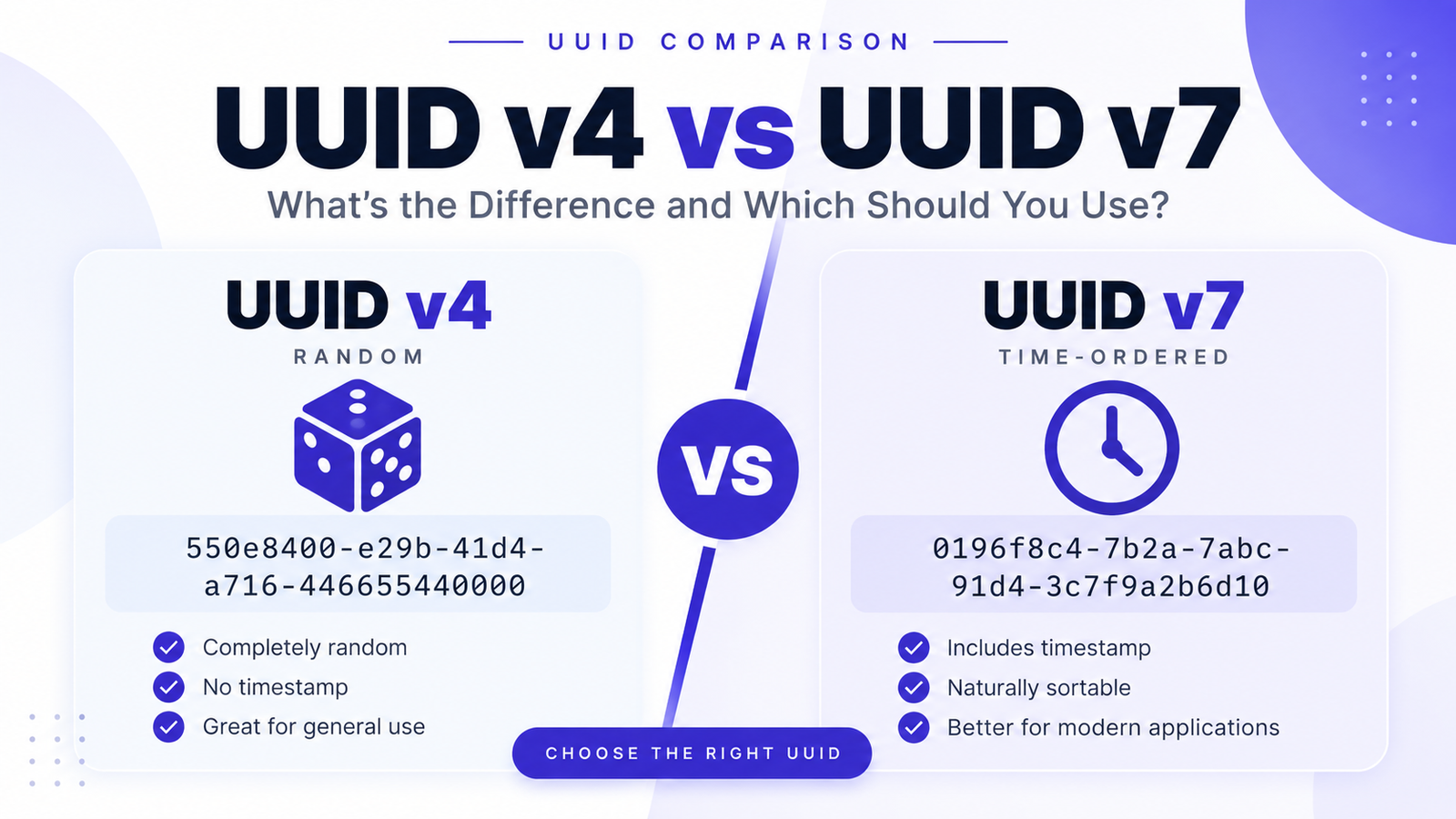
UUID v4 vs UUID v7
This is one of the most common questions developers have.
UUID v4
Random
↓
UUID
UUID v7
Timestamp + Randomness
↓
UUID
Choose v4 when you primarily need a random identifier.
Choose v7 when you want a time-ordered identifier.
Example
Imagine an order system:
Order 1
Order 2
Order 3
Order 4
If the database needs to efficiently work with identifiers that follow creation time, UUID v7 can be attractive.
If the database doesn't care about ordering, UUID v4 may be perfectly adequate.
UUID v1 vs UUID v6
UUID v6 is closely related to UUID v1.
The key difference is the timestamp layout.
v1 → Original time-based layout

v6 → Reordered time-based layout
UUID v6 was specifically designed to improve database locality while retaining compatibility with the UUID v1 timestamp concept.
If you're starting a new system without UUID v1 compatibility requirements, RFC 9562 recommends UUID v7 instead.
UUID v6 vs UUID v7
Both are time ordered, but they use different timestamp systems.
UUID v6
Uses the UUID v1-style Gregorian timestamp.
UUID v7
Uses Unix time in milliseconds.
v6 → Gregorian time-based
v7 → Unix epoch milliseconds
UUID v7 is generally the more natural choice for a new application because Unix timestamps are already widely used across programming languages, operating systems, databases, APIs, and distributed systems.
RFC 9562 recommends UUID v7 instead of UUID v6 when there is no legacy UUID v1 requirement.
Which UUID Version Should You Use?
A simple decision guide:
Need a simple random UUID?
Use UUID v4.
Random identifier
       ↓
UUID v4
Need time ordering?
Use UUID v7.
Timestamp + Randomness
       ↓
UUID v7
Migrating an existing UUID v1 system?
Consider UUID v6.
Existing v1 system
       ↓
UUID v6
Need compatibility with an older v1 implementation?
Use UUID v1 where required.
Need a custom UUID format?
Consider UUID v8.
Application-specific design
       ↓
UUID v8
Which UUID Version Is Best for Databases?
There isn't one universal answer.
However, database locality is an important consideration.
Purely random UUIDs can result in less predictable index locality because new values can be distributed across the index.
Time-ordered UUIDs such as v6 and v7 can be better suited to workloads where identifiers are frequently inserted and sorted chronologically.
For new systems, UUID v7 is often a strong choice when database locality and time ordering matter. RFC 9562 explicitly introduced newer time-ordered formats partly in response to database-index locality concerns.
Are UUID v7 Values Sortable?
UUID v7 is designed to be time ordered.
Its most significant 48 bits contain a Unix timestamp in milliseconds, followed by the version and additional data.
Therefore, UUID v7 values can generally be sorted according to their timestamp component.
However, applications generating multiple UUIDs within the same millisecond should consider the specification's monotonicity guidance if strict ordering is important.
Does UUID v7 Reveal the Creation Time?
Yes.
UUID v7 contains a Unix timestamp in milliseconds in its most significant 48 bits.
That means someone who can decode the UUID can potentially determine the timestamp represented by the UUID.
This is useful for time ordering, but it can also be a privacy consideration.
If exposing creation time is undesirable, UUID v4 may be a better fit.
Are UUID v4 and UUID v7 Secure?
A UUID is primarily an identifier.
It should not automatically be treated as a password, authentication secret, or API credential.
For UUID v4, RFC 9562 provides requirements and guidance for generating random data. UUID v7 also relies on randomness for much of its identifier space.
Applications requiring security-sensitive secrets should use cryptographic random token mechanisms specifically designed for that purpose.
How to Generate UUIDs
You can generate UUIDs directly online using our free tools.
UUID v1
UUID v4
UUID v6
UUID v7
UUID v8
You can also generate multiple identifiers using our:
And check an existing UUID using:
Frequently Asked Questions
What is the difference between UUID v1 and v4?
UUID v1 is time-based, while UUID v4 is randomly generated. UUID v1 contains timestamp-related information, whereas UUID v4 primarily uses random data.
Is UUID v7 better than UUID v4?
Not always. UUID v7 is better suited when time ordering is useful. UUID v4 is simpler when you only need a random identifier.
Is UUID v7 better than UUID v6?
For new applications, generally consider v7 first when time ordering is needed. RFC 9562 recommends UUID v7 instead of v6 when there is no legacy UUID v1 requirement.
What is UUID v8 used for?
UUID v8 is intended for experimental, vendor-specific, or application-specific UUID formats. Its uniqueness properties depend on the implementation.
Which UUID version should I use?
For a simple random identifier, use UUID v4. For a modern time-ordered identifier, consider UUID v7. Use v1 or v6 mainly when compatibility with their specific time-based designs is required, and v8 when you have a well-defined custom format.
Is UUID v7 random?
UUID v7 contains a Unix timestamp and random or implementation-defined monotonicity data. It is not simply a completely random UUID like v4.
Does UUID v4 contain a timestamp?
No. UUID v4 is designed around random or pseudorandom data rather than a timestamp.
Are UUID v6 and v7 sortable?
Both are designed with time-ordered layouts, but they use different timestamp schemes. UUID v6 reorders the UUID v1 timestamp, while UUID v7 uses Unix epoch milliseconds.
Is UUID v1 still used?
Yes. UUID v1 remains relevant for existing systems and compatibility, but new applications should evaluate v7 when they need time-ordered UUIDs.
Final Recommendation
For most developers, the choice can be simplified:
Need random UUID?
        ↓
      UUID v4


Need time-ordered UUID?
        ↓
      UUID v7


Migrating from UUID v1?
        ↓
      UUID v6


Need legacy v1 compatibility?
        ↓
      UUID v1


Need custom UUID format?
        ↓
      UUID v8
The short version
UUID v1 → Legacy time-based UUID
UUID v4 → Random UUID
UUID v6 → Reordered v1-style time-based UUID
UUID v7 → Modern Unix-time-based UUID
UUID v8 → Custom/application-specific UUID
If you're starting a new system today and want time-ordered UUIDs, UUID v7 is the version worth evaluating first. If you simply need a random identifier, UUID v4 remains an excellent choice.
Technical Reference
The current IETF specification for UUIDs is RFC 9562 — Universally Unique Identifiers (UUIDs), published in May 2024. It supersedes RFC 4122 and defines the current UUID version and layout specifications.